Keep the work
in view.
Code in the terminal. Open Chromium alongside it. Connect coding agents. Graffitty keeps the pieces of your project in the same workspace.
Embedded Chromium
The page and the code, side by side.
Open a browser pane next to the terminal. Use the file tree to open text in Neovim and images, videos, or PDFs in Chromium.
The browser is part of the workspace, with APIs for agents to inspect and interact with pages.
Browser automation documentation →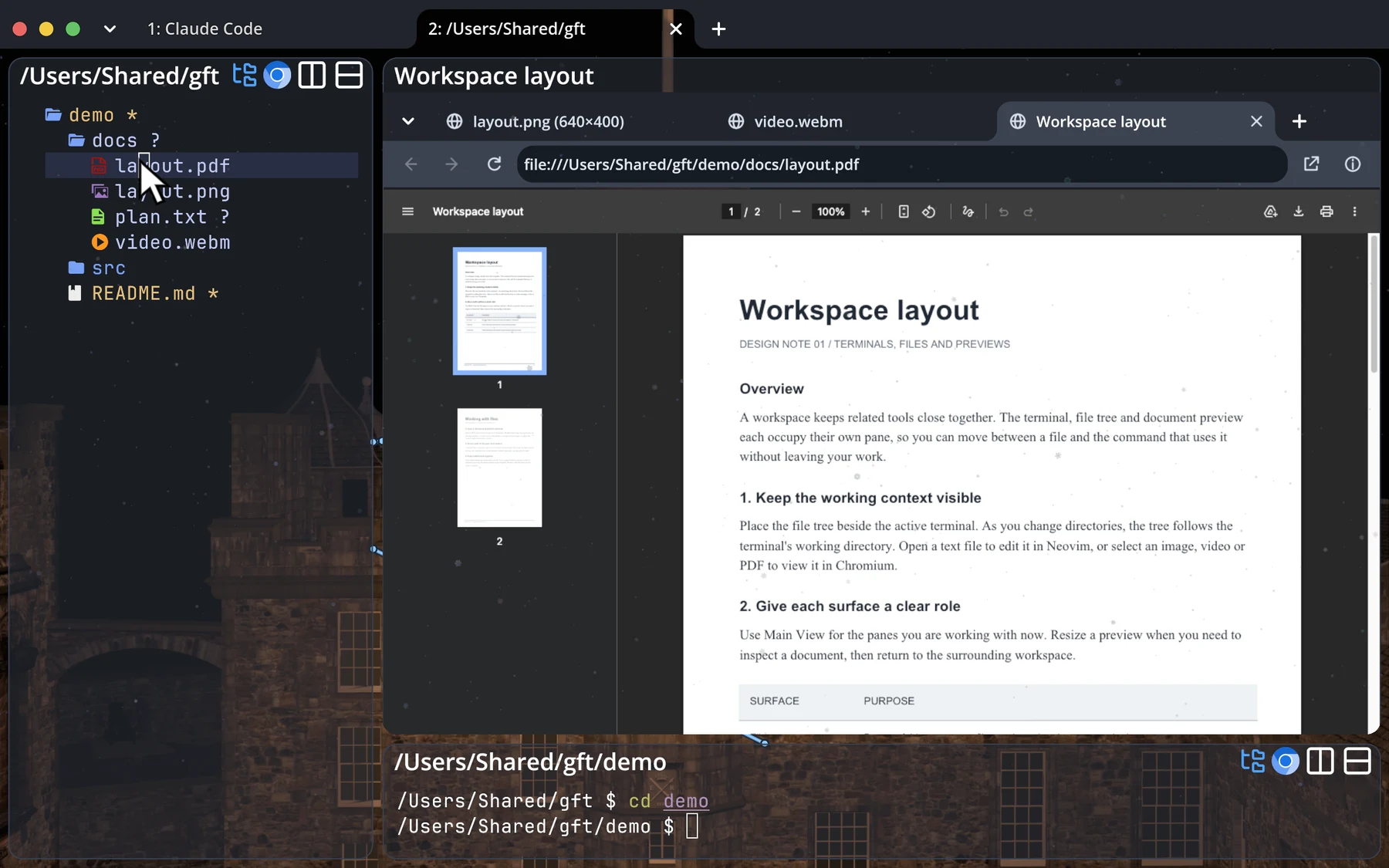 View full size ↗
Agent skills
Teach agent how to use Chromium and the graph protocol.
Graffitty includes its own instructions. Ask an agent to run one of these commands, and it prints the guide for the agent to read.
Agent setup →Agents and the graph
gft skill graphChromium panes
gft skill chromiumAndroid/iOS
Check on your agents from your phone.
The mobile app connects to the computer running your sessions. Terminals and agents keep running there while you follow along.
Remote access documentation →Get Graffitty.
Download the app and open your first workspace.